TL;DR
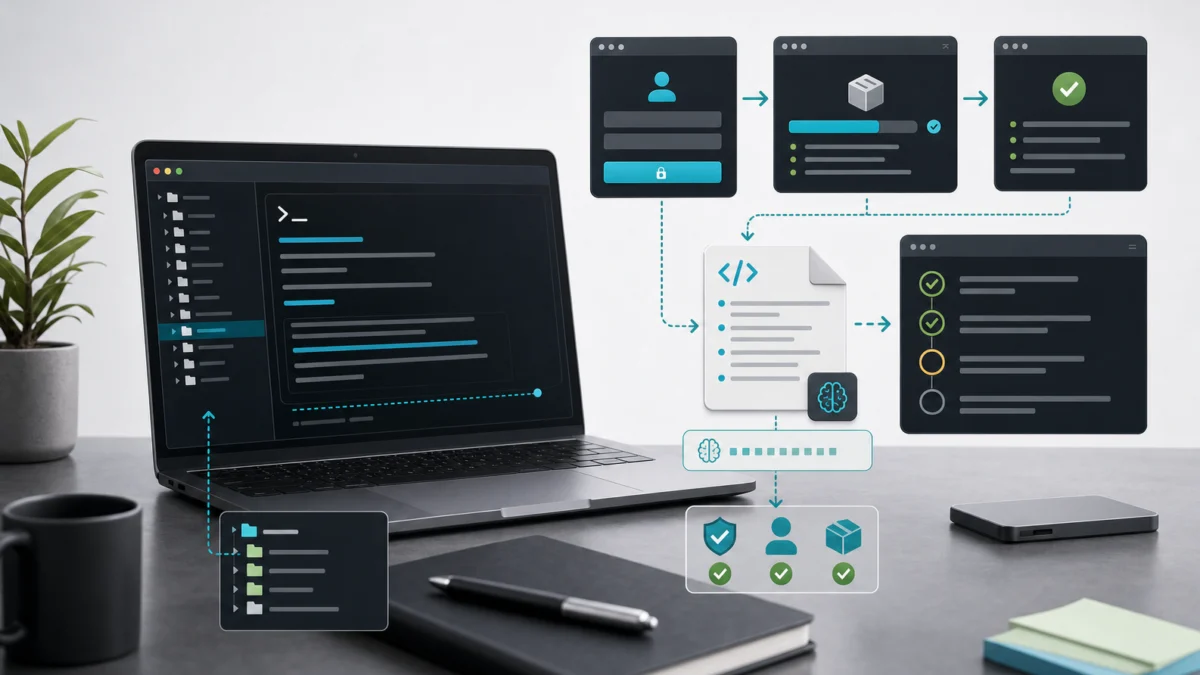
- Claude Code is a terminal CLI, not a chat tab: it reads your files, runs commands and edits code, and every change waits for your approval. Setup takes about ten minutes.
- You need Node.js 18+ (WSL2 on Windows) and a Claude.ai account. A Pro plan covers usage at a flat fee; connect the Anthropic API if you prefer per-token billing.
- A reviewed
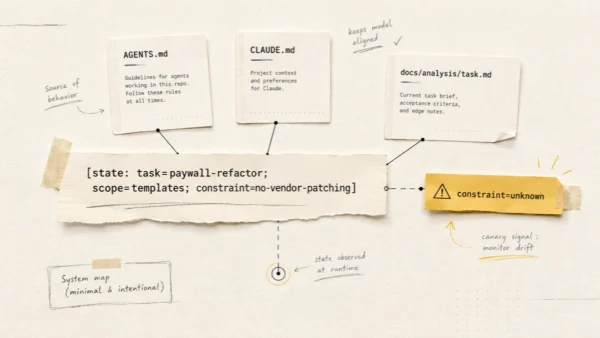
CLAUDE.mdand the always-on permission prompt are what make it reliable. Learn it with three safe tasks: explain a function, fix a small bug, write a test.
Claude Code setup takes about ten minutes, but knowing what you are actually installing changes how you use it. This guide covers the real commands, the authentication flow, and the three first tasks that will teach you more than any feature list.

What Claude Code actually is
Claude Code is a CLI tool made by Anthropic. You install it globally with npm, run claude in a project directory, and get an interactive session where the assistant can read files, run shell commands, edit code, and propose git commits.
It is not a chat interface
That distinction matters: you are not pasting code snippets into a browser tab. When you ask it to fix a bug, it reads the actual source file, makes the change, and shows you the diff. You decide what gets applied. The primary interface is the terminal, not an editor plugin, though IDE integrations exist if you want them.
Prerequisites before you install
You need two things before the first claude command works.
Node.js 18 or higher
Claude Code is distributed as an npm package. Check your version:
node --versionIf you are below 18, update via nvm or your system package manager. Node 20 LTS is a safe choice.
A note for Windows users: Claude Code does not work reliably on Windows CMD or PowerShell. Use WSL2. Install WSL2, set up Ubuntu inside it, and run everything from there.
A Claude.ai account
You need a Claude.ai account to authenticate. If you do not have one, create it at claude.ai. A Pro subscription ($20/month) covers Claude Code usage as a flat fee with no per-token charges on top. If you need heavier usage, team billing, or want to manage costs by the token, you can connect Claude Code to the Anthropic API directly using an API key from console.anthropic.com. For most developers getting started, the Pro subscription is the simpler path.
Claude Code setup: installation and first run
Install Claude Code globally:
npm install -g @anthropic-ai/claude-codeVerify it installed correctly:
claude --versionYou should see a version string like 1.x.x. If you get “command not found”, your global npm bin directory is probably not in your PATH. Run echo $PATH and check whether it includes the npm global bin location. You can find that location with npm prefix -g — the binaries live in the bin/ subdirectory of that path. Add it to your shell profile if it is missing.
Now navigate to a real project directory and start a session:
cd ~/projects/my-laravel-app
claude
The first run opens a browser window and asks you to log in with your Claude.ai account. Complete the OAuth flow, return to the terminal, and you are in. The prompt looks like a simple REPL. Type an instruction and press Enter. To exit at any time, type /exit or press Ctrl+C.
Navigating the session: slash commands you will use every day
Claude Code has built-in slash commands for session management. These are the four you actually need as a beginner.
/init
Run this once per project, in the project root. It reads your repository structure and generates a CLAUDE.md file with what it found: your stack, likely commands, folder layout. The generated file is a starting point, not a finished product. Review every line and correct what is wrong.
/help
Lists available commands and a short description of each. Useful when you forget a command name or want to see what has been added in a recent update.
/clear
Clears the conversation history for the current session. Use this when the context has grown long and responses are starting to feel unfocused. Starting fresh on a new subtask is often more effective than continuing a bloated thread.
/compact
Summarizes the current conversation into a shorter representation without losing the key facts. This is the middle ground between keeping the full history and clearing it entirely, useful on long sessions where you are still mid-task but context is getting expensive.
CLAUDE.md: the file that makes Claude Code useful
Every time you start a Claude Code session in a directory, it reads CLAUDE.md from the project root if one exists. This file is the agent’s persistent memory for your project. Without it, you spend the first few messages re-explaining your stack and conventions every time.
A good CLAUDE.md answers the questions you would answer for a new engineer on their first day: what is this project, how do you run it, where does everything live, what should you never touch. Here is a realistic example for a Laravel project:
# Project: MyApp API

Laravel 11, PHP 8.3, MySQL 8.0, Redis for queues and cache.

## Commands
- `php artisan serve` — local dev server
- `php artisan test` — run Pest test suite
- `./vendor/bin/pint` — code style (PER preset)
- `php artisan migrate` — run pending migrations

## Architecture
- API-only backend, no Blade views
- Controllers in app/Http/Controllers/, thin, delegate to Services
- Business logic in app/Services/
- Jobs in app/Jobs/ for anything async

## Conventions
- Short controller methods, fat service classes
- All DB writes go through a Service, never directly from a Controller
- Feature tests in tests/Feature/, unit tests in tests/Unit/

## Off-limits
- Do not edit files in vendor/
- Do not modify database/migrations/ that have already run in production
- Never commit .env changes
Write it the way you would brief a contractor. The agent uses it the same way a contractor would: as a reference before asking questions.
The permission model: why it asks before running commands
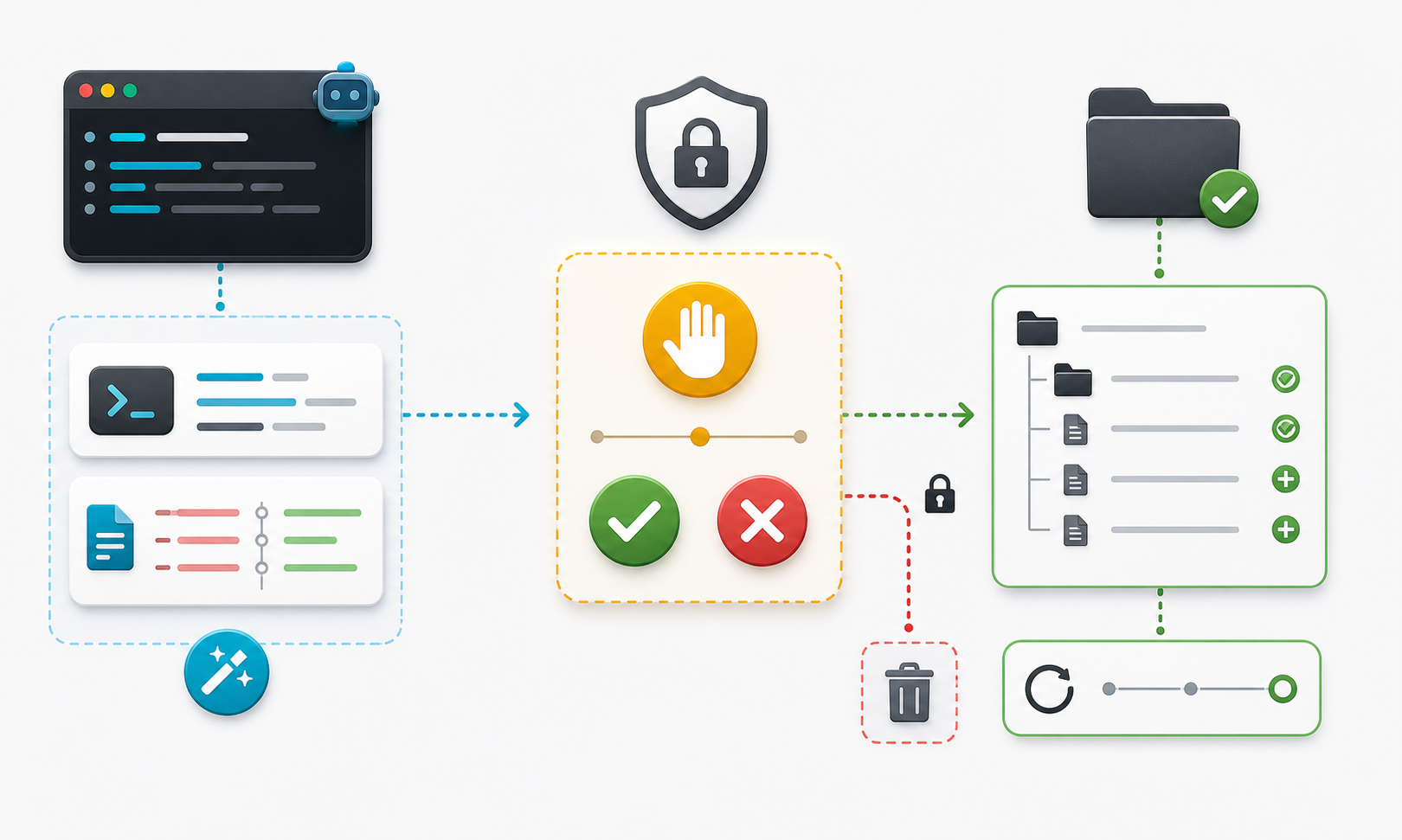
When you ask Claude Code to do something that involves running a shell command or editing a file, it asks for confirmation first. This is by design and you should leave it on.
The confirmation prompt tells you exactly what command it wants to run, or shows you the diff before applying an edit. Your job is to read it. Not skim it.
You can approve a specific action, deny it, or tell it to always allow a certain class of command for the current session, for example always allow php artisan commands.
Be conservative with “always allow” early on
It is easy to approve a broad class of commands that later includes something you did not expect. Grant blanket permissions sparingly until you understand how the tool behaves in your project.
The permission model is one of the things Claude Code gets right. It means you can delegate a task without walking away from your terminal. Stay present, read the diffs, and treat the approval step as your last line of review before anything changes on disk.
Three first tasks that teach you more than any tutorial
Abstract explanations of what Claude Code can do are less useful than running three real tasks in a project you know. Here are three starting points, ordered from least to most risk.
Task 1: explain a function
Low risk
Find a function in your codebase that you did not write, or one that has grown complicated over time. Ask:
Explain what the `processInvoice` method in app/Services/BillingService.php does.
Focus on the side effects: what does it write to the database, what events does it fire?
This task reads files but writes nothing. It is a safe way to test how well the model understands your codebase. If the explanation is wrong or shallow, your CLAUDE.md probably needs more context about your architecture.
Task 2: fix a bug
Medium risk
Pick a small, self-contained bug: a wrong validation rule, an off-by-one error, a missing null check. Describe it with enough context:
In app/Http/Controllers/UserController.php, the `update` method does not validate
that `email` is unique before saving. Add the unique validation rule,
but exclude the current user's own email from the uniqueness check.
Review the diff carefully before approving. Check that it changed exactly what you described and nothing else. This is the review habit to build now, before the tasks get larger.
Task 3: write a test
Medium risk
Ask it to write a test for a piece of logic that currently has no coverage:
Write a Pest feature test for the POST /api/users endpoint.
Cover: successful creation, validation failure when email is missing,
and a 409 response when the email already exists.
Tests are a good early delegation target because the output is easy to verify. Run the test. If it passes, the code is probably correct. If it fails, read the failure message and ask for a fix.
Common beginner mistakes
These are the patterns that make Claude Code feel unreliable when the problem is the prompt or the workflow, not the tool.
Vague prompts
“Fix the bug in the user service” tells the model almost nothing. Be specific about the file, the method, the symptom, and what correct behavior looks like. The more context you give, the less time you spend correcting output.
Not reading the diff
The most common way to introduce a regression with an AI tool is to approve a change without reading it. Claude Code shows you the diff before applying. That is the moment to catch unintended changes, and skipping it is the equivalent of merging a PR without looking at it.
Giving broad permissions too early
If you grant “always allow” to a wide class of commands in your first session, you lose the safety net that makes delegation safe. Start with session-by-session approval. Once you understand how the tool behaves in your project, broaden permissions where it genuinely saves friction.
Using it for tasks that require context it cannot have
Claude Code works well for bounded, describable tasks. It works poorly for tasks that require organizational context no file captures: why a specific workaround was added for a specific client, or what a product decision from six months ago implies for the codebase. Keep those tasks for yourself.
What to read next
Once you have run a few sessions and built a solid CLAUDE.md, the next step is understanding the broader workflow: how to structure tasks so the agent stays productive, how to handle code review, what to delegate and what to keep. My guide on AI agents in the development workflow covers that in detail, including the five rules I follow on every project.
When you are ready to go further with specialist subagents for discovery, planning, and review, the Claude Code subagents and token optimization guide picks up from where this one stops.
Frequently asked questions
- Do I need an API key to use Claude Code?
- No. The default setup uses browser-based OAuth login with your Claude.ai account. An API key is only needed if you want to connect Claude Code directly to the Anthropic API for custom billing or higher usage limits.
- Does Claude Code work on Windows?
- Not reliably on native Windows CMD or PowerShell. Use WSL2 with Ubuntu. Install WSL2, run all commands from the Ubuntu terminal, and everything works as documented.
- How do I exit a Claude Code session?
- Type
/exitat the prompt, or press Ctrl+C. - What is CLAUDE.md and do I need it?
- It is a plain text file in your project root that Claude Code reads at the start of every session. It gives the agent persistent context about your stack, commands, and conventions. You do not need it to get started, but without it you will re-explain your project every session. Run
/initto generate a draft. - Is Claude Code free?
- Claude Code usage is included in the Claude.ai Pro subscription at no additional per-token charge. If you use the direct API path instead, you pay per token at standard Anthropic API rates.
- How does Claude Code access my files?
- It reads from and writes to your local file system directly, scoped to the directory where you run it. Every file edit and shell command requires your explicit approval before it executes.