TL;DR
- “Laravel and Vue” is not one architecture but three: a separate SPA on a Laravel API, Inertia.js as a monolith, or Vue islands inside Blade. Picking the wrong one is the expensive mistake.
- The SPA route’s hidden cost is everything around the components: token auth, CORS, SEO, and duplicated validation. Reach for it only when you actually need a standalone frontend.
- Inertia gives you Vue components with Laravel’s session auth, server-side routing, and no API to build or version. For most products that ship a UI, it is the pragmatic default.
- Scalability here means team velocity as the codebase grows, not requests per second. Clear boundaries on both sides matter more than the framework versions.
The most expensive Laravel-and-Vue decision I have watched a team get wrong was not a line of code — it was reflexively building a separate SPA with a Laravel API for an app that was, in the end, a CRUD dashboard behind a login. They got the components they wanted and, with them, a second auth system, a CORS configuration, validation rules written twice, and a blank page for search engines. None of that was Vue’s fault. It was the integration model, chosen by habit instead of by fit.
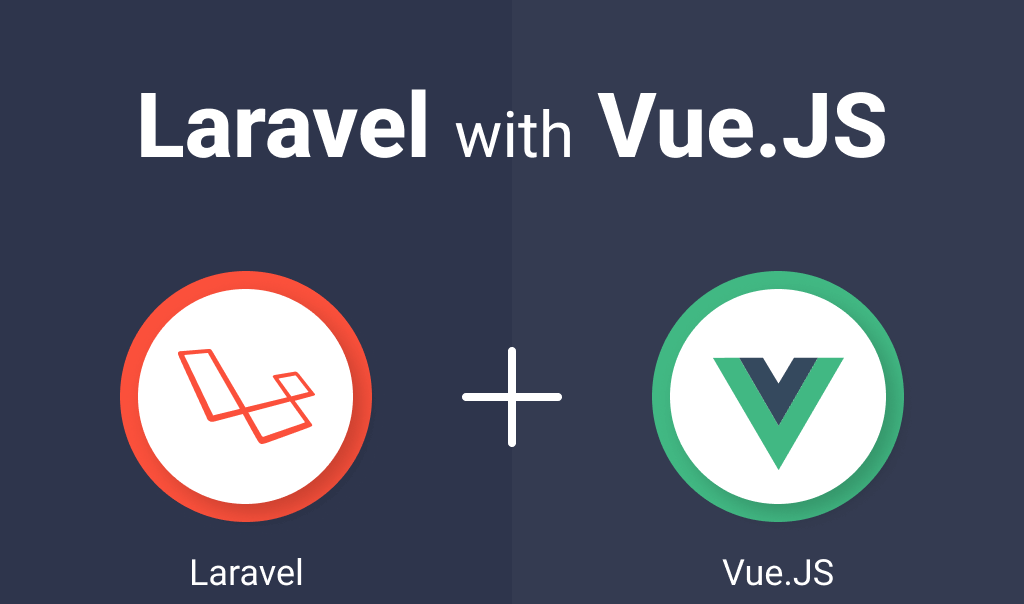
That is what this article is actually about. “Laravel and Vue work great together” is true and not useful. The useful question is how you connect them, because that choice decides your auth, your SEO, your build, and how much code you maintain.
The three integration models
Almost every Laravel + Vue project is one of these, and they have very different cost profiles.
| Model | Auth | SEO | Best for |
|---|---|---|---|
| SPA + Laravel API | Token / Sanctum, CORS | Needs SSR or prerender | Standalone frontend, mobile sharing the API, separate frontend team |
| Inertia.js monolith | Laravel session (built in) | Server-rendered by default | Most authenticated app UIs — dashboards, SaaS, admin |
| Vue islands in Blade | Laravel session | Full server rendering | Content sites with a few interactive widgets |
The trap is treating the SPA as the “real” or “modern” choice and the others as compromises. They are not. They are different tools, and for a product that lives behind a login and shares no API with a mobile app, the SPA is usually the most work for the least benefit.
SPA + API: powerful, and the most code to own
A standalone Vue app talking to a Laravel API is the right call when the frontend genuinely stands alone — a separate deploy, a separate team, or an API that a mobile client also consumes. What you take on with it is real:
Auth is the hidden cost of the SPA route
A separate frontend cannot use Laravel’s session the simple way. You wire up Sanctum (token or stateful cookie), configure CORS, handle CSRF for cookie mode, and manage token lifecycle on the client. None of it is hard individually; together it is a subsystem you now maintain and secure.
SEO is the second cost. A client-rendered SPA serves an empty shell to crawlers, so anything that needs to rank requires server-side rendering or prerendering — more infrastructure. And validation tends to get written twice: once in Laravel’s FormRequest and again on the client. Keep Laravel as the source of truth and let the API return structured errors the frontend renders, rather than maintaining two rule sets that drift.
Inertia: Vue components without building an API
Inertia.js is the option that removes most of that cost. You write Vue components, but Laravel still owns routing, controllers, and session auth — there is no separate API to design, document, or version. A controller returns an Inertia response with props instead of a Blade view, and the page is server-rendered on first load:
public function index()
{
    return Inertia::render('Dashboard', [
        'projects' => ProjectResource::collection($user->projects),
    ]);
}
Validation, auth, and redirects work the way they already do in Laravel — a failed FormRequest sends errors straight back to the Vue page with no API plumbing. For the large category of “an app behind a login that needs a real UI,” this is the path with the least incidental complexity, which is usually what you want.
Vue islands: interactivity without an SPA
If the product is content-first — a marketing site, a blog, a documentation portal — with a handful of interactive pieces, you do not need an SPA or Inertia. Render pages with Blade for SEO and load Vue only where reactivity earns its place: a pricing calculator, a filterable table, a live search box. The page stays fast and crawlable; the interactivity is scoped to the components that need it. Reaching for a full SPA here is how a brochure site ends up with a build pipeline it cannot justify.
What “scalable” actually means here
The original promise of this pairing — “scalable web applications” — gets misread as traffic. For almost every team, the scaling that hurts is not requests per second; it is the codebase getting larger and a feature taking longer to ship safely. That is an architecture problem on both sides.
On the backend, it is the same boundary discipline that keeps any Laravel app maintainable: depend on clear contracts, not sprawling concrete services — the reasoning is in dependency injection and dependency inversion in Laravel. On the frontend, it is components that map to product workflows instead of a pile of stateful widgets sharing one giant store. Most apps need far less global state than they reach for; a store earns its place when state is genuinely shared across distant parts of the UI, not as a default.
Mistakes I see in Laravel + Vue projects
Defaulting to a SPA
Choosing a separate frontend for an app that lives behind a login adds auth, CORS, and SEO work for little gain. Default to Inertia unless the frontend truly stands alone.
Validation written twice
Duplicating rules in Laravel and on the client guarantees drift. Keep Laravel authoritative and render its errors on the frontend.
Forgetting SEO until launch
A client-rendered SPA is invisible to crawlers without SSR. Decide rendering strategy before you build, not after rankings drop.
A global store for everything
Most component state is local. A store for shared state is good; a store as a default dumping ground is how Vue apps become hard to follow.
FAQ
- Should I build a Laravel API with a Vue SPA, or use Inertia?
- Use Inertia unless you have a concrete reason for a standalone frontend — a separate frontend team, a mobile app sharing the API, or an independent deploy. Inertia gives you Vue components with Laravel’s session auth and server-side rendering, and no API to build or version, which is less code to own for most authenticated apps.
- Does a Vue SPA hurt SEO with Laravel?
- A client-rendered SPA serves an empty HTML shell to crawlers, so pages that need to rank require server-side rendering or prerendering. Inertia and Blade-with-islands both render on the server by default, which avoids the problem entirely.
- How does authentication work between Laravel and Vue?
- With Inertia or Blade islands you use Laravel’s normal session authentication. With a standalone SPA you use Laravel Sanctum — either API tokens or stateful cookies — plus CORS configuration, which is the main reason the SPA route costs more to set up and secure.
- Do I need Vuex or Pinia in a Laravel + Vue app?
- Only for state that is genuinely shared across distant parts of the UI. Most component state should stay local. With Inertia, page props come from the server, so you often need far less global state than a pure SPA would.
Related articles
- Dependency injection and dependency inversion in Laravel covers the backend boundaries that keep the API or Inertia layer maintainable as the app grows.
- The importance of security in web development covers the auth and input-handling concerns that the SPA model makes you responsible for.